Next.js for beginnersNext.js สำหรับผู้เริ่มต้น
Next.js Beginner Guide
A full React app, one file at a timeแอป React แบบครบวงจร ทีละไฟล์
Next.js is a React framework: you write components, and it turns them into a website with pages, server code, forms and an API. In this guide one small app, taskboard, grows lesson by lesson: pages and a layout, a task list read on the server, a filter that runs in the browser, a page for each task, loading and error screens, a form that saves new tasks, a JSON API, and finally a production build. Next.js คือเฟรมเวิร์กของ React เราเขียนคอมโพเนนต์ แล้ว Next.js เปลี่ยนให้เป็นเว็บไซต์ที่มีหลายหน้า โค้ดฝั่งเซิร์ฟเวอร์ ฟอร์ม และ API ในคู่มือนี้แอปเล็กๆ ชื่อ taskboard จะเติบโตทีละบท ตั้งแต่เพจและเลย์เอาต์ รายการงานที่อ่านบนเซิร์ฟเวอร์ ตัวกรองที่ทำงานในเบราว์เซอร์ หน้าของงานแต่ละชิ้น หน้าโหลดและหน้าข้อผิดพลาด ฟอร์มที่บันทึกงานใหม่ JSON API ไปจนถึงการ build สำหรับ production
- Run withรันด้วย Next.js 16.3
- React 19.2
- Node.js 22.21
- TypeScript 5.9
- Tailwind CSS 4.3
Pagesเพจ
Files become pages; components run on the server or in the browser.ไฟล์กลายเป็นเพจ คอมโพเนนต์ทำงานบนเซิร์ฟเวอร์หรือในเบราว์เซอร์
Lessons 1–4 →บทที่ 1–4 →Dataข้อมูล
A page per task, loading and error screens, forms that save, and an API.หน้าของงานแต่ละชิ้น หน้าโหลดและข้อผิดพลาด ฟอร์มที่บันทึกข้อมูล และ API
Lessons 5–8 →บทที่ 5–8 →Shippingขึ้นระบบจริง
A production build, static and dynamic routes, and deploying.build สำหรับ production, route แบบ static และ dynamic และการ deploy
Lesson 9 →บทที่ 9 →Lesson 1 · Setupบทที่ 1 · ติดตั้ง
What Next.js isNext.js คืออะไร
React draws an interface from components. On its own it doesn't decide how URLs map to pages, where data comes from, or how the site is built for real users. Next.js adds those parts: every folder in app/ becomes a URL, components can run on the server and read data directly, forms can call server code, and next build prepares everything for production. Next.js runs on Node.js, so install Node first, then create a project with create-next-app. --yes accepts the recommended setup: TypeScript, Tailwind CSS, ESLint and the App Router.
React วาดหน้าจอจากคอมโพเนนต์ แต่ตัวมันเองไม่ได้กำหนดว่า URL ไหนเป็นหน้าไหน ข้อมูลมาจากไหน หรือจะ build เว็บสำหรับผู้ใช้จริงอย่างไร Next.js เติมส่วนเหล่านี้ให้ ทุกโฟลเดอร์ใน app/ กลายเป็น URL คอมโพเนนต์ทำงานบนเซิร์ฟเวอร์และอ่านข้อมูลได้โดยตรง ฟอร์มเรียกโค้ดฝั่งเซิร์ฟเวอร์ได้ และ next build เตรียมทุกอย่างสำหรับ production Next.js ทำงานบน Node.js จึงต้องติดตั้ง Node ก่อน แล้วสร้างโปรเจกต์ด้วย create-next-app ตัวเลือก --yes คือรับการตั้งค่าที่แนะนำ ได้แก่ TypeScript, Tailwind CSS, ESLint และ App Router
$ npx create-next-app@16.3.8 taskboard --yes --use-npm
Creating a new Next.js app in ~/taskboard.

Using npm.

Initializing project with template: app-tw


Installing dependencies:
- next
- react
- react-dom

Installing devDependencies:
- @tailwindcss/postcss
- @types/node
- @types/react
- @types/react-dom
- eslint
- eslint-config-next
- tailwindcss
- typescript

npm warn deprecated eslint@9.39.5: This version is no longer supported. Please see https://eslint.org/version-support for other options.

added 365 packages, and audited 366 packages in 18s

147 packages are looking for funding
  run `npm fund` for details

5 high severity vulnerabilities

To address all issues (including breaking changes), run:
  npm audit fix --force

Run `npm audit` for details.

Generating route types...
✓ Types generated successfully

Initialized a git repository.

Success! Created taskboard at ~/taskboard
I pinned the version so the guide matches what you see; normally you'd type create-next-app@latest. The audit warnings are about packages used by ESLint, not by your app. Don't run npm audit fix --force blindly: it can install incompatible versions.ผมระบุเวอร์ชันไว้เพื่อให้คู่มือตรงกับสิ่งที่เห็น ปกติจะพิมพ์ create-next-app@latest คำเตือนจาก audit เป็นเรื่องของแพ็กเกจที่ ESLint ใช้ ไม่ใช่ของแอปเรา อย่ารัน npm audit fix --force โดยไม่คิด เพราะอาจติดตั้งเวอร์ชันที่เข้ากันไม่ได้
$ cd taskboard && tree -a -I 'node_modules|.next|.git' --noreport .
.
├── .gitignore
├── AGENTS.md
├── CLAUDE.md
├── README.md
├── app
│   ├── favicon.ico
│   ├── globals.css
│   ├── layout.tsx
│   └── page.tsx
├── eslint.config.mjs
├── next-env.d.ts
├── next.config.ts
├── package-lock.json
├── package.json
├── postcss.config.mjs
├── public
│   ├── file.svg
│   ├── globe.svg
│   ├── next.svg
│   ├── vercel.svg
│   └── window.svg
└── tsconfig.json
| Fileไฟล์ | What it isคืออะไร |
|---|---|
app/ | your routes: each folder is a part of the URLroute ของเรา แต่ละโฟลเดอร์คือส่วนหนึ่งของ URL |
app/page.tsx | the page at /เพจที่ / |
app/layout.tsx | wraps every page; holds <html> and <body>ครอบทุกเพจ และมี <html> กับ <body> |
app/globals.css | CSS for the whole site; it loads TailwindCSS ของทั้งเว็บ และโหลด Tailwind |
public/ | files served as they are: public/next.svg is /next.svgไฟล์ที่ส่งออกไปตามเดิม public/next.svg คือ /next.svg |
next.config.ts | Next.js settingsการตั้งค่า Next.js |
tsconfig.json | TypeScript settings, including the @/ import shortcutการตั้งค่า TypeScript รวมถึงทางลัด @/ สำหรับ import |
AGENTS.md | notes for AI coding assistants: read the docs bundled in node_modules/next/dist/docs/, because this version is newer than what they learnedโน้ตสำหรับผู้ช่วยเขียนโค้ด AI ให้อ่านเอกสารที่มากับ node_modules/next/dist/docs/ เพราะเวอร์ชันนี้ใหม่กว่าที่มันเรียนมา |
npm run dev starts the development server. It compiles each page the first time you open it and reloads the browser when you save a file.
npm run dev เริ่มเซิร์ฟเวอร์สำหรับพัฒนา มันคอมไพล์แต่ละเพจเมื่อเปิดครั้งแรก และรีโหลดเบราว์เซอร์ทุกครั้งที่บันทึกไฟล์
$ npm run dev -- -p 3200
> taskboard@0.1.0 dev
> next dev -p 3200

▲ Next.js 16.3.8 (Turbopack)
- Local:         http://localhost:3200
- Network:       http://192.168.1.34:3200
✓ Ready in 208ms
✓ Running next.config.ts took 64ms

 GET / 200 in 1606ms (next.js: 1546ms, application-code: 61ms)
The default port is 3000; another app on my computer was using it, so -p 3200 picks another one. Turbopack is the bundler that compiles your code. The first GET / took 1.5 s because the page was compiled on demand; I stopped the server with Ctrl+C.พอร์ตปกติคือ 3000 แต่มีแอปอื่นในเครื่องผมใช้อยู่ -p 3200 จึงเลือกพอร์ตอื่น Turbopack คือตัว bundler ที่คอมไพล์โค้ดของเรา GET / ครั้งแรกใช้เวลา 1.5 วินาทีเพราะเพจถูกคอมไพล์ตอนที่ถูกเรียก ผมหยุดเซิร์ฟเวอร์ด้วย Ctrl+C

Lesson 2 · Pagesบทที่ 2 · เพจ
Pages and layoutsเพจและเลย์เอาต์
In the App Router, folders are URLs. Each folder inside app/ is one segment of the path, and a file named page.tsx makes that path a page. A layout.tsx wraps all the pages below it and stays on screen while you move between them. The root layout must render <html> and <body>.
ใน App Router โฟลเดอร์คือ URL แต่ละโฟลเดอร์ใน app/ คือส่วนหนึ่งของพาธ และไฟล์ชื่อ page.tsx ทำให้พาธนั้นเป็นเพจ ส่วน layout.tsx ครอบทุกเพจที่อยู่ข้างใต้ และยังคงอยู่บนจอขณะที่เราเปลี่ยนหน้า root layout ต้องแสดง <html> และ <body>
| Fileไฟล์ | URL | Lessonบทที่ |
|---|---|---|
app/page.tsx | / | 2 |
app/about/page.tsx | /about | 2 |
app/tasks/[id]/page.tsx | /tasks/1, /tasks/2 … | 5 |
app/api/tasks/route.ts | /api/tasks | 8 |
I replaced the starter page, the starter CSS and the layout with smaller versions, and deleted the sample images in public/. The layout adds a navigation bar to every page.
ผมแทนที่เพจเริ่มต้น CSS เริ่มต้น และเลย์เอาต์ด้วยเวอร์ชันที่สั้นกว่า และลบรูปตัวอย่างใน public/ ออก เลย์เอาต์เพิ่มแถบเมนูให้ทุกเพจ
A page is just a function that returns JSX, exported with export default. The className values are Tailwind classes: small utility names such as text-2xl (bigger text) and mt-2 (a little margin on top). metadata fills the page's <title> and description.
เพจคือฟังก์ชันที่คืนค่า JSX และ export ด้วย export default ค่าใน className เป็นคลาสของ Tailwind ซึ่งเป็นชื่อสั้นๆ เช่น text-2xl (ตัวอักษรใหญ่ขึ้น) และ mt-2 (ระยะห่างด้านบนเล็กน้อย) ส่วน metadata กำหนด <title> และคำอธิบายของหน้า

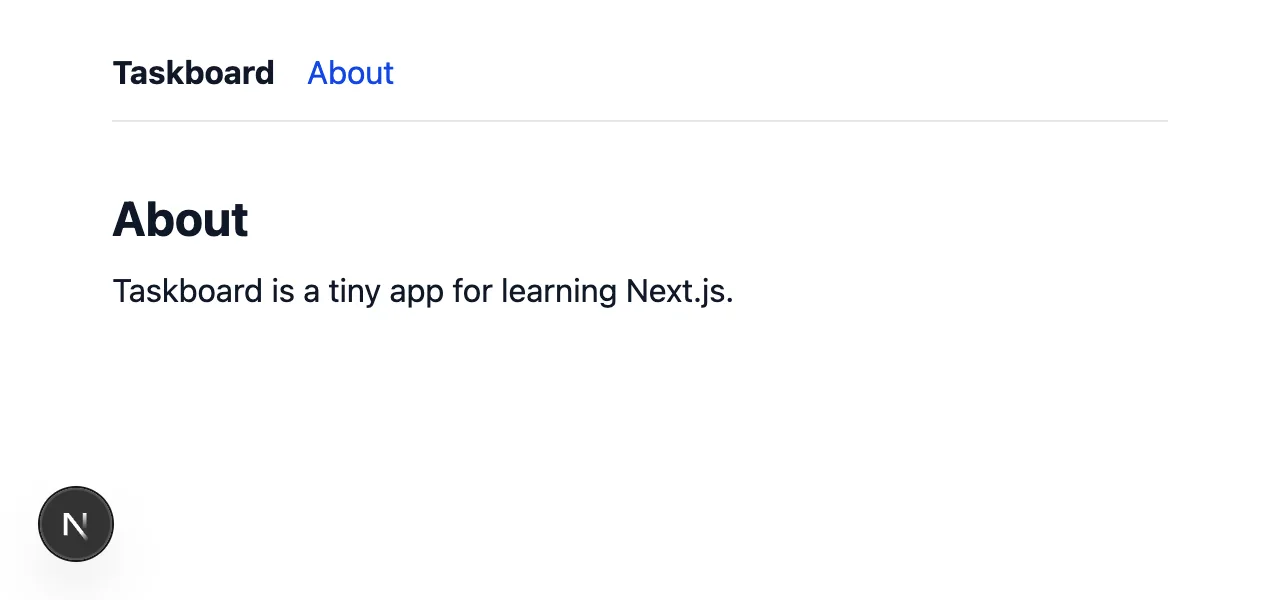
window in the browser; after it, the value was still there. A full page reload would have cleared it, so <Link> really swapped only the page content.หลังคลิก About ก่อนคลิกผมเก็บค่าหนึ่งไว้ใน window ของเบราว์เซอร์ หลังคลิกค่านั้นยังอยู่ ถ้าเบราว์เซอร์โหลดหน้าใหม่ทั้งหน้า ค่านี้จะหายไป แปลว่า <Link> เปลี่ยนเฉพาะเนื้อหาของเพจจริงๆUse <Link href="/about"> from next/link for links inside your site. In the HTML it is a normal <a>, so it works before JavaScript loads. Once JavaScript runs, Next.js changes pages without a reload, keeps the layout, and loads linked pages in the background before you click.ใช้ <Link href="/about"> จาก next/link สำหรับลิงก์ภายในเว็บ ใน HTML มันคือ <a> ธรรมดา จึงใช้งานได้ตั้งแต่ก่อน JavaScript โหลด เมื่อ JavaScript ทำงานแล้ว Next.js จะเปลี่ยนหน้าโดยไม่รีโหลด คงเลย์เอาต์ไว้ และโหลดหน้าที่ลิงก์ไว้ล่วงหน้าเบื้องหลังก่อนเราคลิก
$ curl -s localhost:3200/about | grep -o '<h1[^>]*>[^<]*</h1>'
<h1 class="text-2xl font-bold">About</h1>

$ curl -s -o /dev/null -w "%{http_code}\n" localhost:3200/contact
404
The heading is already in the HTML, before any JavaScript runs; that's good for speed and for search engines. A URL with no page gets a 404.หัวข้ออยู่ใน HTML แล้วตั้งแต่ก่อน JavaScript ทำงาน ซึ่งดีทั้งต่อความเร็วและต่อเครื่องมือค้นหา ส่วน URL ที่ไม่มีเพจจะได้ 404
Lesson 3 · Pagesบทที่ 3 · เพจ
Server ComponentsServer Components
Every component in app/ is a Server Component unless you say otherwise. It runs on the server, never in the browser, and its code is never sent to the browser. So it can be async, read files or a database directly, and use secrets. Let's keep the tasks in a JSON file and read it with Node's fs, as in the Node.js guide.
คอมโพเนนต์ทุกตัวใน app/ เป็น Server Component ถ้าเราไม่ได้บอกเป็นอย่างอื่น มันทำงานบนเซิร์ฟเวอร์ ไม่เคยทำงานในเบราว์เซอร์ และโค้ดของมันไม่ถูกส่งไปที่เบราว์เซอร์เลย มันจึงเป็น async ได้ อ่านไฟล์หรือฐานข้อมูลได้โดยตรง และใช้ข้อมูลลับได้ เราจะเก็บงานไว้ในไฟล์ JSON แล้วอ่านด้วย fs ของ Node เหมือนในคู่มือ Node.js
@/lib/tasks uses the @/ shortcut from tsconfig.json: it means "from the project folder", so you never write ../../. process.cwd() is the project folder too, because that's where npm run dev was started.
@/lib/tasks ใช้ทางลัด @/ จาก tsconfig.json ซึ่งหมายถึง "เริ่มจากโฟลเดอร์โปรเจกต์" จึงไม่ต้องเขียน ../../ ส่วน process.cwd() ก็คือโฟลเดอร์โปรเจกต์เช่นกัน เพราะเป็นที่ที่เราสั่ง npm run dev
$ curl -s localhost:3200 | grep -o '<li>[^/]*</li>'
<li>✅<!-- --> <!-- -->Install Node.js</li>
<li>✅<!-- --> <!-- -->Create a Next.js app</li>
<li>⬜<!-- --> <!-- -->Learn server components</li>
The tasks arrive inside the HTML. The <!-- --> markers are how React keeps neighbouring pieces of text apart.รายการงานมาพร้อมกับ HTML ส่วน <!-- --> คือเครื่องหมายที่ React ใช้แยกข้อความที่อยู่ติดกัน
rendering the home page with 3 tasks
 GET / 200 in 680ms (next.js: 615ms, application-code: 65ms)
rendering the home page with 3 tasks
 GET / 200 in 24ms (next.js: 3ms, application-code: 21ms)
console.log in a Server Component prints here, in the server's terminal, once per request: first for curl, then for the browser. In development, Next.js also copies these lines into the browser console with a Server label.console.log ใน Server Component พิมพ์ที่นี่ ในเทอร์มินัลของเซิร์ฟเวอร์ ครั้งละหนึ่งบรรทัดต่อคำขอ ครั้งแรกจาก curl แล้วจากเบราว์เซอร์ ตอนพัฒนา Next.js ยังคัดลอกบรรทัดเหล่านี้ไปที่ console ของเบราว์เซอร์พร้อมป้าย Server ด้วย
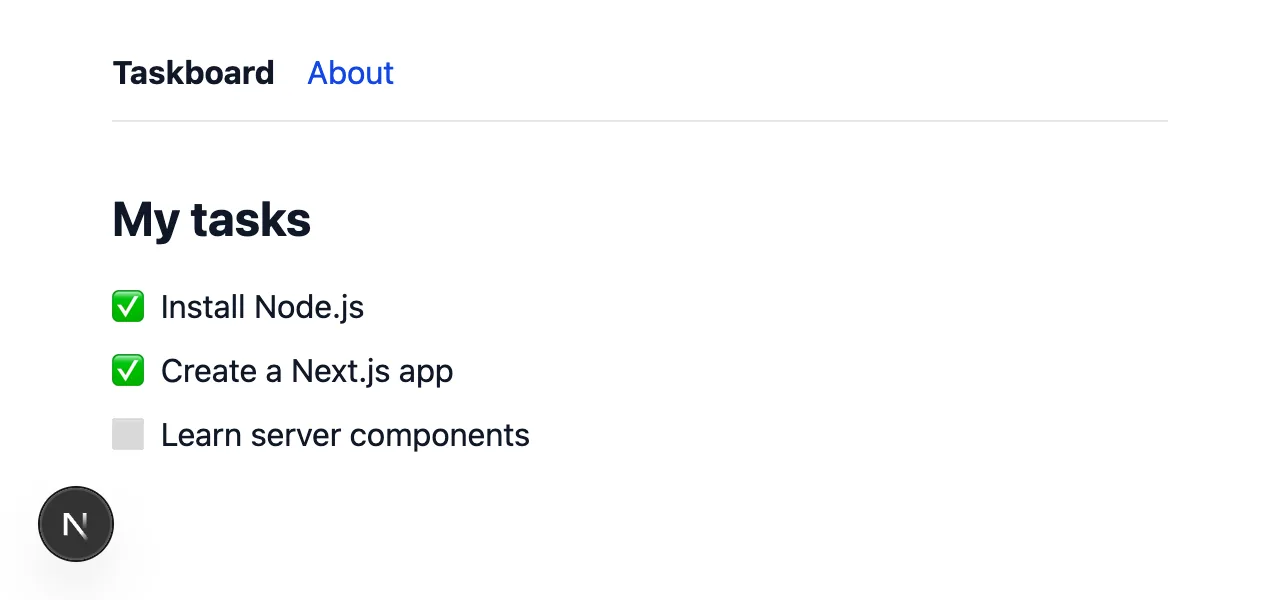
data/tasks.json.รายการงานจาก data/tasks.jsonLesson 4 · Pagesบทที่ 4 · เพจ
Client ComponentsClient Components
A Server Component can't react to a click: it has no state and no event handlers, because its code never reaches the browser. For that you write a Client Component by putting "use client" at the top of the file. Here TaskList keeps the chosen filter in useState. The page stays a Server Component: it reads the data and hands it to TaskList as a prop.
Server Component ตอบสนองต่อการคลิกไม่ได้ เพราะไม่มี state และไม่มี event handler โค้ดของมันไม่เคยไปถึงเบราว์เซอร์ ถ้าต้องการสิ่งเหล่านี้ ให้เขียน Client Component โดยใส่ "use client" ไว้บนสุดของไฟล์ ในที่นี้ TaskList เก็บตัวกรองที่เลือกไว้ใน useState ส่วนเพจยังเป็น Server Component ที่อ่านข้อมูลแล้วส่งให้ TaskList ผ่าน prop
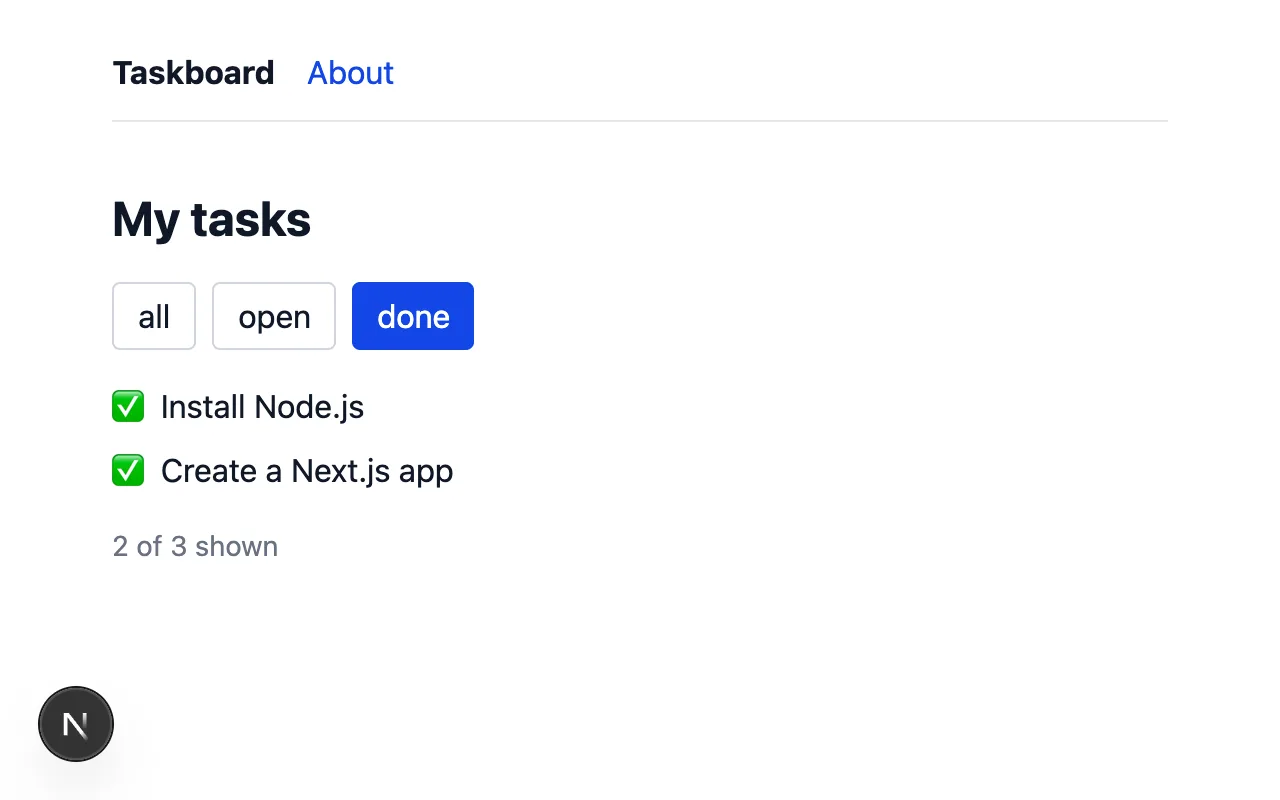
TaskList: filter = all
 GET / 200 in 710ms (next.js: 643ms, application-code: 67ms)
TaskList: filter = all
TaskList: filter = all
TaskList: filter = open
TaskList: filter = open
TaskList: filter = done
TaskList: filter = done
A Client Component still renders once on the server, to make the first HTML (the line in the terminal). Then it runs in the browser, and every click renders it again. In development React renders each time twice on purpose, to catch bugs, so every line appears twice; a production build renders once. Two unrelated console lines (a React DevTools tip and [HMR] connected) are left out.Client Component ยังเรนเดอร์บนเซิร์ฟเวอร์หนึ่งครั้งเพื่อสร้าง HTML แรก (บรรทัดในเทอร์มินัล) จากนั้นทำงานในเบราว์เซอร์ และทุกครั้งที่คลิกจะเรนเดอร์ใหม่ ตอนพัฒนา React ตั้งใจเรนเดอร์ซ้ำสองครั้งเพื่อจับบั๊ก ทุกบรรทัดจึงปรากฏสองครั้ง ส่วน build สำหรับ production จะเรนเดอร์ครั้งเดียว บรรทัดใน console ที่ไม่เกี่ยวข้องสองบรรทัด (คำแนะนำ React DevTools และ [HMR] connected) ถูกตัดออก
| Server Component | Client Component | |
|---|---|---|
| How to make oneสร้างอย่างไร | the defaultเป็นค่าเริ่มต้น | "use client" at the topบนสุดของไฟล์ |
| Runsทำงานที่ | on the server onlyบนเซิร์ฟเวอร์เท่านั้น | on the server for the first HTML, then in the browserบนเซิร์ฟเวอร์สำหรับ HTML แรก แล้วในเบราว์เซอร์ |
async, files, database, secretsไฟล์ ฐานข้อมูล ข้อมูลลับ | ✓ | ✗ |
useState, onClick, window | ✗ | ✓ |
| JavaScript sent to the browserJavaScript ที่ส่งไปเบราว์เซอร์ | noneไม่มี | the component's codeโค้ดของคอมโพเนนต์ |
Keep components on the server and add "use client" only to the small parts that need the browser. Props passed from a Server Component to a Client Component must be plain data (strings, numbers, arrays, objects): functions can't be sent.ให้คอมโพเนนต์อยู่บนเซิร์ฟเวอร์เป็นหลัก และเพิ่ม "use client" เฉพาะส่วนเล็กๆ ที่ต้องใช้เบราว์เซอร์ prop ที่ส่งจาก Server Component ไปยัง Client Component ต้องเป็นข้อมูลธรรมดา (string, number, array, object) ส่งฟังก์ชันไม่ได้
import type { Task } brings in only the TypeScript type. lib/tasks.ts uses node:fs, which doesn't exist in a browser, so a Client Component must never import its functions (Mistakes).import type { Task } นำเข้าเฉพาะชนิดข้อมูลของ TypeScript ส่วน lib/tasks.ts ใช้ node:fs ซึ่งไม่มีในเบราว์เซอร์ Client Component จึงต้องไม่ import ฟังก์ชันจากไฟล์นี้ (ข้อผิดพลาด)
Lesson 5 · Dataบทที่ 5 · ข้อมูล
Dynamic routesDynamic routes
One page file can serve many URLs. A folder name in square brackets is a dynamic segment: app/tasks/[id]/page.tsx answers /tasks/1, /tasks/2 and so on. The page receives params, and since Next.js 15 params is a Promise, so you await it. Values from the URL are always strings; Number(id) turns "3" into 3. When there is no such task, notFound() stops the page and shows not-found.tsx instead.
ไฟล์เพจเดียวรองรับได้หลาย URL ชื่อโฟลเดอร์ในวงเล็บเหลี่ยมคือ dynamic segment app/tasks/[id]/page.tsx ตอบ /tasks/1, /tasks/2 และอื่นๆ เพจจะได้รับ params และตั้งแต่ Next.js 15 params เป็น Promise จึงต้อง await ค่าจาก URL เป็น string เสมอ Number(id) เปลี่ยน "3" เป็น 3 ถ้าไม่มีงานนั้น notFound() จะหยุดเพจและแสดง not-found.tsx แทน
Two small changes link it all up: each task in the list becomes a <Link> to its page, and the root layout gets a title template. generateMetadata returns the task's title, and the template adds the site name, so every page gets a title like Install Node.js · Taskboard.
มีการแก้เล็กๆ สองจุดเพื่อเชื่อมทุกอย่างเข้าด้วยกัน งานแต่ละรายการกลายเป็น <Link> ไปยังหน้าของมัน และ root layout มีแม่แบบชื่อหน้า generateMetadata คืนชื่องาน แล้วแม่แบบเติมชื่อเว็บต่อท้าย ทุกหน้าจึงมีชื่อแบบ Install Node.js · Taskboard
$ curl -s localhost:3200/tasks/1 | grep -o '<title>[^<]*</title>'
<title>Install Node.js · Taskboard</title>

$ curl -s localhost:3200/tasks/99 | grep -o '<title>[^<]*</title>'
<title>Not found · Taskboard</title>

$ curl -s -o /dev/null -w "%{http_code}\n" localhost:3200/tasks/99
404
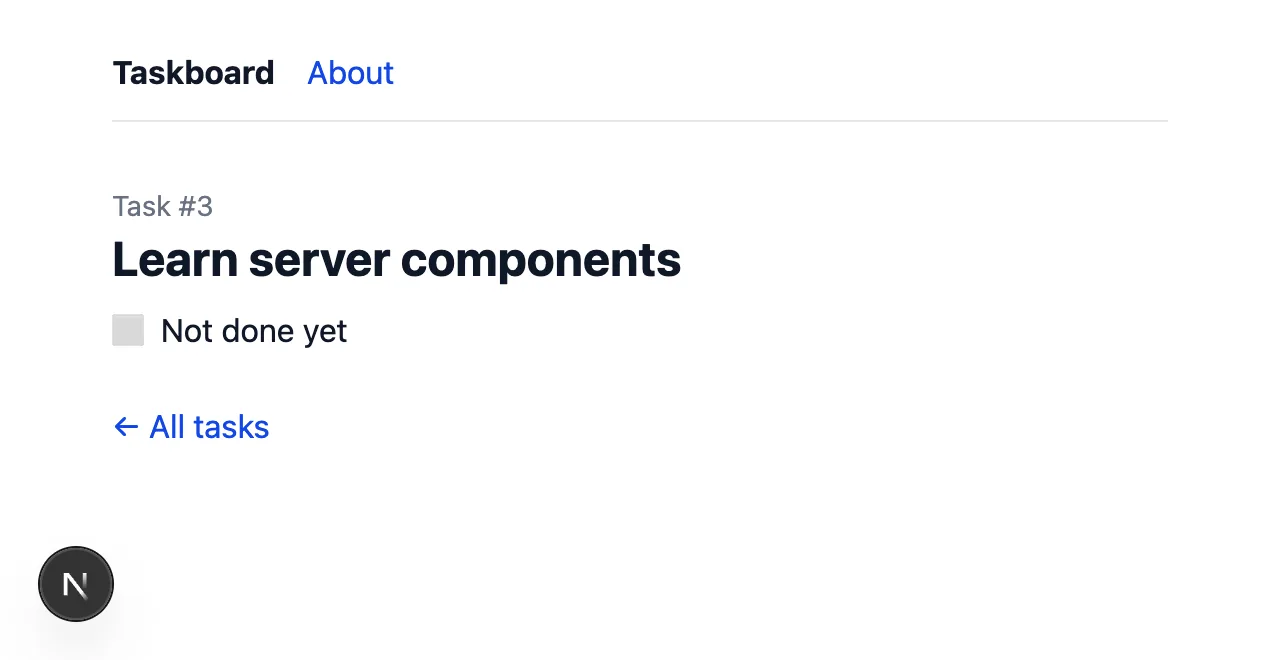
/tasks/3.คลิก Learn server components ในรายการจะเปิด /tasks/3
notFound(). The same page answers any URL that doesn't exist, such as /contact.ไม่มีงานหมายเลข 99 เพจจึงเรียก notFound() หน้านี้ยังตอบ URL ใดๆ ที่ไม่มีอยู่ เช่น /contact ด้วยAfter if (!task) notFound(); TypeScript knows task exists, because notFound() never returns. Next.js also generates route types: PageProps<"/tasks/[id]"> gives the same params type without writing it yourself (Practice 3 uses it).หลัง if (!task) notFound(); TypeScript รู้ว่า task มีค่าแน่นอน เพราะ notFound() ไม่เคย return Next.js ยังสร้างชนิดข้อมูลของ route ให้ด้วย PageProps<"/tasks/[id]"> ให้ชนิดของ params แบบเดียวกันโดยไม่ต้องเขียนเอง (แบบฝึกหัดข้อ 3 ใช้วิธีนี้)
Lesson 6 · Dataบทที่ 6 · ข้อมูล
Loading and errorsหน้าโหลดและข้อผิดพลาด
Two more special files. loading.tsx appears at once while a page in the same folder is still getting its data. error.tsx catches errors thrown while rendering and shows a fallback instead of a broken page; it must be a Client Component, and its retry() function renders the page again. It also shows error.digest, an ID that Lesson 9 explains. To see the loading screen, getTask now waits one second, pretending to be a slow database, and it is wrapped in React's cache().
มีไฟล์พิเศษอีกสองไฟล์ loading.tsx แสดงทันทีขณะที่เพจในโฟลเดอร์เดียวกันยังดึงข้อมูลอยู่ ส่วน error.tsx จับข้อผิดพลาดที่เกิดระหว่างเรนเดอร์ แล้วแสดงหน้าสำรองแทนหน้าที่พัง ไฟล์นี้ต้องเป็น Client Component และฟังก์ชัน retry() ของมันจะเรนเดอร์เพจใหม่ นอกจากนี้ยังแสดง error.digest ซึ่งเป็นรหัสที่ บทที่ 9 จะอธิบาย เพื่อให้เห็นหน้าโหลด ตอนนี้ getTask รอหนึ่งวินาทีเพื่อจำลองฐานข้อมูลที่ช้า และถูกครอบด้วย cache() ของ React

loading.tsx fills the page area until the data is ready.ถ่ายหลังคลิกงาน 0.35 วินาที เลย์เอาต์ยังอยู่ และ loading.tsx แสดงในพื้นที่ของเพจจนกว่าข้อมูลจะพร้อม$ for i in 1 2; do curl -s -o /dev/null -w "%{http_code} in %{time_total}s\n" localhost:3200/tasks/3; done 200 in 1.811944s 200 in 1.032233s
getTask(3)
 GET /tasks/3 200 in 1808ms (next.js: 767ms, application-code: 1041ms)
getTask(3)
 GET /tasks/3 200 in 1026ms (next.js: 6ms, application-code: 1021ms)
The first request also compiled the page. Each request printed getTask(3) once, although generateMetadata and the page both call it: cache() shares the result within one request, so the second request took 1 s, not 2.คำขอแรกต้องคอมไพล์เพจด้วย แต่ละคำขอพิมพ์ getTask(3) เพียงครั้งเดียว แม้ว่า generateMetadata และเพจจะเรียกทั้งคู่ cache() ใช้ผลลัพธ์ร่วมกันภายในคำขอเดียว คำขอที่สองจึงใช้เวลา 1 วินาที ไม่ใช่ 2
Now an error. I broke data/tasks.json on purpose, with a comma after the last task, and opened /tasks/1.
ต่อไปคือข้อผิดพลาด ผมตั้งใจทำให้ data/tasks.json เสีย โดยใส่ comma หลังงานรายการสุดท้าย แล้วเปิด /tasks/1
getTask(1)
⨯ SyntaxError: Unexpected token ']', ..." false },
]
" is not valid JSON
    at JSON.parse (<anonymous>)
    at getTasks (lib/tasks.ts:15:15)
    at async (lib/tasks.ts:23:17)
  13 | export async function getTasks(): Promise<Task[]> {
  14 |   const text = await readFile(FILE, "utf8");
> 15 |   return JSON.parse(text);
     |               ^
  16 | }
  17 |
  18 | // cache(): if the page and generateMetadata both ask for task 3 {
  digest: '3512113249'
}
⋯ 15 lines: the same error again, because the page and generateMetadata both failed ⋯⋯ 15 บรรทัด: ข้อผิดพลาดเดิมอีกครั้ง เพราะทั้งเพจและ generateMetadata ล้มเหลว ⋯
 GET /tasks/1 200 in 1037ms (next.js: 11ms, application-code: 1026ms)
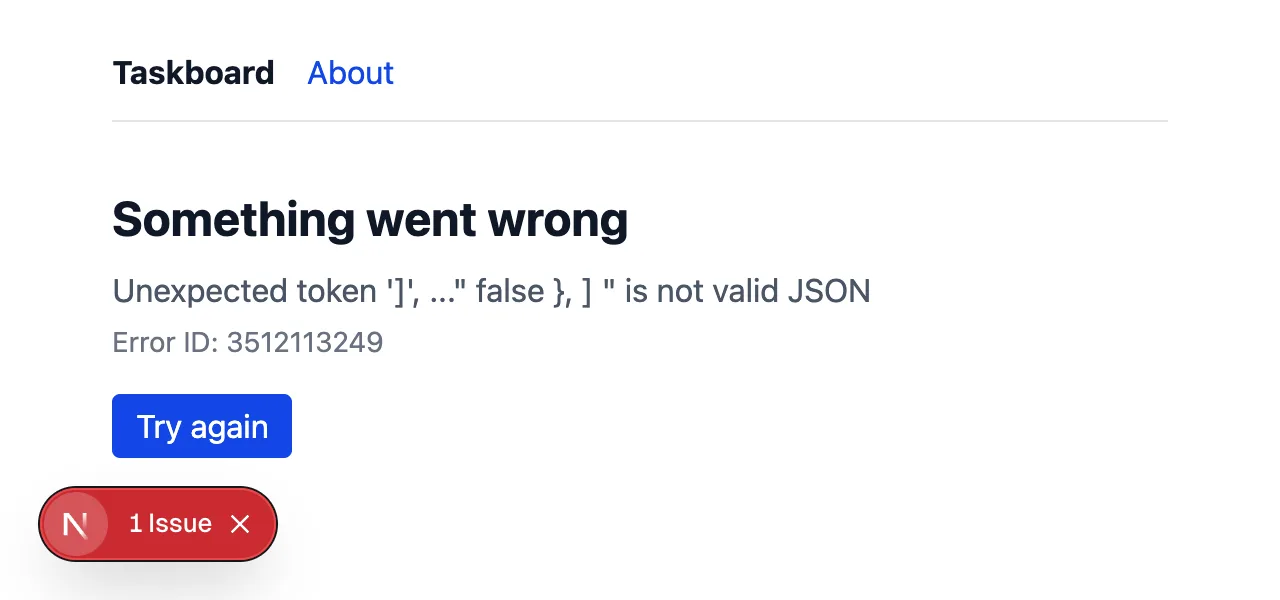
error.tsx caught it: the layout still works and the rest of the site is fine. In development you see the real message, and the red badge opens Next.js's error overlay with the stack trace. Lesson 9 shows what users see in production.error.tsx จับไว้ได้ เลย์เอาต์ยังใช้งานได้ และส่วนอื่นของเว็บยังปกติ ตอนพัฒนาจะเห็นข้อความจริง และป้ายสีแดงเปิดหน้าข้อผิดพลาดของ Next.js พร้อม stack trace บทที่ 9 จะแสดงสิ่งที่ผู้ใช้เห็นบน productionWith loading.tsx, Next.js streams the page: it sends the start of the HTML before it knows whether the task exists. The status code is sent first, so a missing task now answers 200 instead of 404, with a tag that tells search engines not to index it:เมื่อมี loading.tsx Next.js จะ สตรีม เพจ คือส่งส่วนต้นของ HTML ก่อนจะรู้ว่างานนั้นมีอยู่จริงหรือไม่ status code ถูกส่งไปก่อน งานที่ไม่มีอยู่จึงตอบ 200 แทน 404 พร้อมแท็กที่บอกเครื่องมือค้นหาว่าอย่าเก็บหน้านี้
$ curl -s -o /dev/null -w "%{http_code}\n" localhost:3200/tasks/99
200

$ curl -s localhost:3200/tasks/99 | grep -o '<meta name="robots"[^>]*>'
<meta name="robots" content="noindex"/>
Lesson 7 · Dataบทที่ 7 · ข้อมูล
Server ActionsServer Actions
A Server Action is an async function in a "use server" file. It runs on the server, but a form can call it directly: <form action={createTask}>. Next.js sends the form fields as FormData, runs the function, and updates the page; no API and no fetch code. After changing data, revalidatePath("/") tells Next.js that the home page is out of date, so it is rendered again with the new task. The pretend delay from Lesson 6 is gone.
Server Action คือฟังก์ชัน async ในไฟล์ที่มี "use server" มันทำงานบนเซิร์ฟเวอร์ แต่ฟอร์มเรียกใช้ได้โดยตรง <form action={createTask}> Next.js ส่งช่องในฟอร์มไปเป็น FormData รันฟังก์ชัน และอัปเดตหน้าให้ ไม่ต้องมี API และไม่ต้องเขียน fetch หลังเปลี่ยนข้อมูล revalidatePath("/") บอก Next.js ว่าหน้าแรกล้าสมัยแล้ว หน้าแรกจึงถูกเรนเดอร์ใหม่พร้อมงานใหม่ ส่วนการหน่วงเวลาจำลองจากบทที่ 6 ถูกเอาออกแล้ว
AddTaskForm has no "use client": a Server Component can render a form that calls a Server Action. The detail page sends the task's id in a hidden input.
AddTaskForm ไม่มี "use client" เพราะ Server Component แสดงฟอร์มที่เรียก Server Action ได้ หน้ารายละเอียดส่ง id ของงานไปในช่อง input ที่ซ่อนไว้
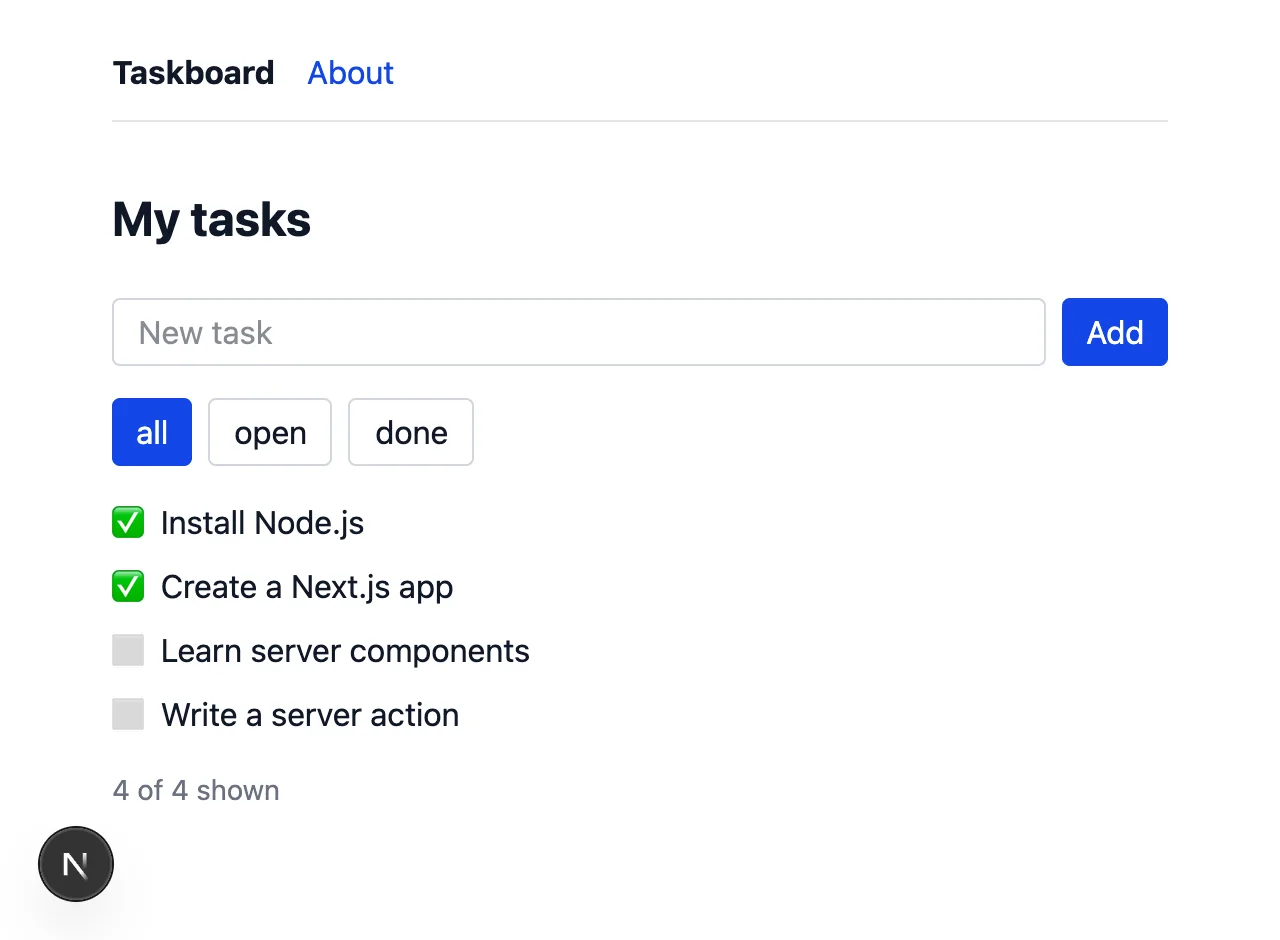
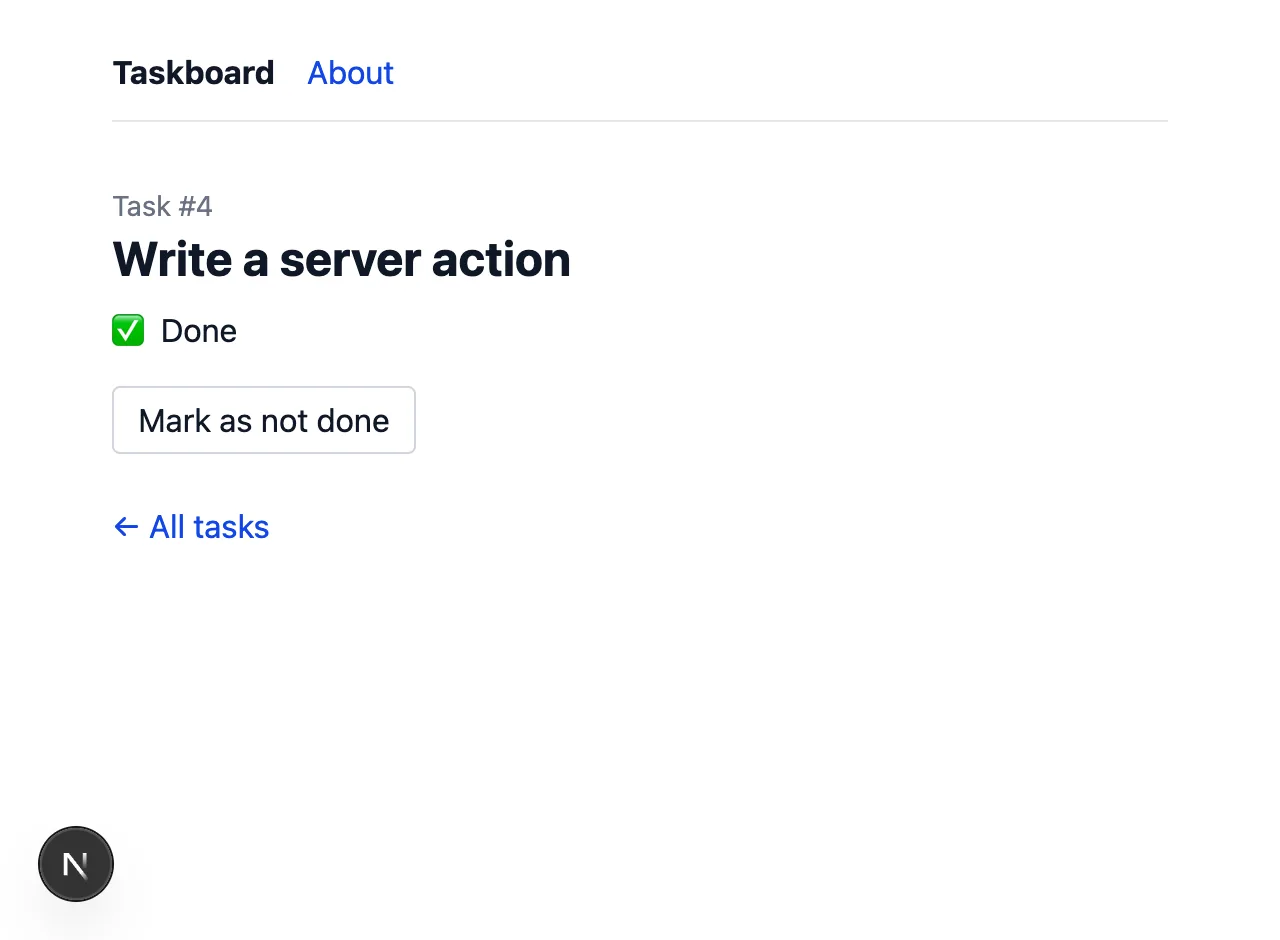
/tasks/4, after pressing Mark as done.ที่ /tasks/4 หลังกด Mark as donePOST / 200 in 16ms (next.js: 1.6ms, application-code: 14ms) └─ ƒ createTask({}) in 2ms app/actions.ts GET / 200 in 14ms (next.js: 1.3ms, application-code: 13ms) POST / 200 in 17ms (next.js: 1.0ms, application-code: 16ms) GET /tasks/4 200 in 279ms (next.js: 259ms, application-code: 21ms) POST /tasks/4 200 in 20ms (next.js: 4ms, application-code: 16ms) └─ ƒ toggleDone({}) in 1ms app/actions.ts
Each action is a POST to the page, and the dev server names the function it ran. The second POST / came from a browser with JavaScript turned off: the form still worked, because without JavaScript the browser submits it the old way and Next.js answers with the updated page.แต่ละ action คือ POST ไปที่เพจ และเซิร์ฟเวอร์บอกชื่อฟังก์ชันที่รัน POST / ครั้งที่สองมาจากเบราว์เซอร์ที่ ปิด JavaScript ฟอร์มก็ยังใช้งานได้ เพราะถ้าไม่มี JavaScript เบราว์เซอร์จะส่งฟอร์มแบบดั้งเดิม แล้ว Next.js ตอบกลับด้วยหน้าที่อัปเดตแล้ว
$ cat data/tasks.json
[
  {
    "id": 1,
    "title": "Install Node.js",
    "done": true
  },
  {
    "id": 2,
    "title": "Create a Next.js app",
    "done": true
  },
  {
    "id": 3,
    "title": "Learn server components",
    "done": false
  },
  {
    "id": 4,
    "title": "Write a server action",
    "done": true
  },
  {
    "id": 5,
    "title": "Works without JavaScript",
    "done": false
  }
]
A Server Action is a public endpoint: anyone can call it with any data, not only through your form. Check the input (here, empty titles are ignored) and, in a real app, check that the user is logged in and allowed to change that data.Server Action เป็นปลายทางสาธารณะ ใครก็เรียกได้ด้วยข้อมูลอะไรก็ได้ ไม่จำเป็นต้องผ่านฟอร์มของเรา ให้ตรวจข้อมูลที่รับเข้ามา (ในที่นี้ชื่อว่างจะถูกข้าม) และในแอปจริงต้องตรวจว่าผู้ใช้ล็อกอินแล้วและมีสิทธิ์แก้ข้อมูลนั้น
Lesson 8 · Dataบทที่ 8 · ข้อมูล
Route HandlersRoute Handlers
Server Actions are for your own pages. When something else needs the data (a mobile app, another service, a script), build an API with a Route Handler: a route.ts file that exports functions named after HTTP methods. They receive a standard Request and return a Response, the same objects as fetch.
Server Action ใช้สำหรับเพจของเราเอง เมื่อมีสิ่งอื่นต้องการข้อมูล (แอปมือถือ บริการอื่น หรือสคริปต์) ให้สร้าง API ด้วย Route Handler คือไฟล์ route.ts ที่ export ฟังก์ชันซึ่งตั้งชื่อตาม HTTP method ฟังก์ชันเหล่านี้รับ Request มาตรฐาน และคืน Response ซึ่งเป็นออบเจกต์ชุดเดียวกับที่ fetch ใช้
$ curl -s localhost:3200/api/tasks; echo
[{"id":1,"title":"Install Node.js","done":true},{"id":2,"title":"Create a Next.js app","done":true},{"id":3,"title":"Learn server components","done":false}]

$ curl -s -i -X POST localhost:3200/api/tasks -H "Content-Type: application/json" -d '{"title": "Try a route handler"}'
HTTP/1.1 201 Created
content-type: application/json

{"id":4,"title":"Try a route handler","done":false}

$ curl -s -i -X POST localhost:3200/api/tasks -H "Content-Type: application/json" -d '{"title": ""}'
HTTP/1.1 400 Bad Request
content-type: application/json

{"error":"title is required"}

$ curl -s -X POST localhost:3200/api/tasks -d hello; echo
{"error":"title is required"}

$ curl -s -i -X DELETE localhost:3200/api/tasks
HTTP/1.1 405 Method Not Allowed
hello isn't JSON, so request.json() fails and .catch(() => null) turns that into "no body". Methods you don't export, like DELETE, get 405 Method Not Allowed automatically.hello ไม่ใช่ JSON request.json() จึงล้มเหลว และ .catch(() => null) เปลี่ยนให้เป็น "ไม่มี body" ส่วน method ที่ไม่ได้ export เช่น DELETE จะได้ 405 Method Not Allowed โดยอัตโนมัติ
| Server Action | Route Handler | |
|---|---|---|
| Fileไฟล์ | any file with "use server"ไฟล์ใดก็ได้ที่มี "use server" | app/…/route.ts |
| Called byถูกเรียกโดย | your forms and componentsฟอร์มและคอมโพเนนต์ของเรา | anything that speaks HTTPอะไรก็ได้ที่ใช้ HTTP |
| Input / outputรับ / คืน | FormData or arguments; the page updatesหรืออาร์กิวเมนต์ แล้วเพจอัปเดต | Request → Response |
| Use it forใช้สำหรับ | changing data from your own UIเปลี่ยนข้อมูลจากหน้าเว็บของเรา | a public or mobile API, webhooksAPI สาธารณะหรือของแอปมือถือ, webhook |
A folder can have a page.tsx or a route.ts, not both. The POST handler also calls revalidatePath("/"), for the same reason as the Server Action. The next lesson shows why that line matters.โฟลเดอร์หนึ่งมี page.tsx หรือ route.ts ได้อย่างใดอย่างหนึ่ง ไม่ใช่ทั้งสอง POST handler ก็เรียก revalidatePath("/") ด้วยเหตุผลเดียวกับ Server Action บทถัดไปจะแสดงว่าบรรทัดนี้สำคัญอย่างไร
Lesson 9 · Shippingบทที่ 9 · ขึ้นระบบจริง
Build and deploybuild และ deploy
npm run dev is for writing code: it compiles on demand and shows detailed errors. For real users you build once with npm run build and run the result with npm start. The build checks your types, compiles everything, and decides for each route whether it can be made ahead of time.
npm run dev ใช้ตอนเขียนโค้ด มันคอมไพล์เมื่อถูกเรียกและแสดงข้อผิดพลาดอย่างละเอียด สำหรับผู้ใช้จริงให้ build ครั้งเดียวด้วย npm run build แล้วรันผลลัพธ์ด้วย npm start ขั้นตอน build ตรวจชนิดข้อมูล คอมไพล์ทุกอย่าง และตัดสินใจว่าแต่ละ route สร้างไว้ล่วงหน้าได้หรือไม่
$ npm run build
> taskboard@0.1.0 build
> next build

▲ Next.js 16.3.8 (Turbopack)
✓ Running next.config.ts took 11ms

  Creating an optimized production build ...
✓ Compiled successfully in 1570ms
  Running TypeScript ...
  Finished TypeScript in 666ms ...
  Collecting page data using 8 workers ...
  Generating static pages using 8 workers (0/6) ...
  Generating static pages using 8 workers (1/6)
  Generating static pages using 8 workers (2/6)
  Generating static pages using 8 workers (4/6)
✓ Generating static pages using 8 workers (6/6) in 214ms
  Finalizing page optimization ...

Route (app)
┌ ○ /
├ ○ /_not-found
├ ○ /about
├ ƒ /api/tasks
└ ƒ /tasks/[id]


○  (Static)   prerendered as static content
ƒ  (Dynamic)  server-rendered on demand
| Markสัญลักษณ์ | Meansความหมาย | Hereในแอปนี้ |
|---|---|---|
○ Static | rendered once during the build, then served as a fileเรนเดอร์ครั้งเดียวตอน build แล้วส่งเป็นไฟล์ | / and /about: they don't depend on the request/ และ /about ไม่ขึ้นกับคำขอ |
ƒ Dynamic | rendered on every requestเรนเดอร์ทุกครั้งที่มีคำขอ | /tasks/[id] depends on the URL; route handlers run per request/tasks/[id] ขึ้นกับ URL ส่วน route handler ทำงานทุกคำขอ |
$ npm start -- -p 3300
> taskboard@0.1.0 start
> next start -p 3300

▲ Next.js 16.3.8
- Local:         http://localhost:3300
- Network:       http://192.168.1.34:3300
✓ Ready in 54ms
✓ Running next.config.ts took 12ms
$ curl -sI localhost:3300/ | grep -i -E 'x-nextjs|cache-control'
x-nextjs-cache: HIT
x-nextjs-prerender: 1
x-nextjs-prerender: 1
x-nextjs-stale-time: 300
Cache-Control: s-maxage=31536000

$ curl -sI localhost:3300/tasks/1 | grep -i -E 'x-nextjs|cache-control'
Cache-Control: private, no-cache, no-store, max-age=0, must-revalidate

$ curl -s localhost:3300/ | grep -o '<li>' | wc -l
       3

$ curl -s -X POST localhost:3300/api/tasks -H "Content-Type: application/json" -d '{"title": "Ship it"}'; echo
{"id":4,"title":"Ship it","done":false}

$ curl -s localhost:3300/ | grep -o '<li>' | wc -l
       4

$ grep -rl "tasks.json" .next/static || echo "not found"
not found
The home page came from the prerendered file (x-nextjs-cache: HIT), while the task page is made fresh and must not be cached. After the POST the static home page showed 4 tasks, because the route handler called revalidatePath("/"); without it, the page would keep the list from build time (Mistakes). .next/static holds the files sent to browsers, and no server code is in it.หน้าแรกมาจากไฟล์ที่ prerender ไว้ (x-nextjs-cache: HIT) ส่วนหน้างานถูกสร้างใหม่ทุกครั้งและห้ามแคช หลัง POST หน้าแรกแบบ static แสดง 4 งาน เพราะ route handler เรียก revalidatePath("/") ถ้าไม่มีบรรทัดนี้ หน้าแรกจะแสดงรายการจากตอน build ตลอดไป (ข้อผิดพลาด) ส่วน .next/static เก็บไฟล์ที่ส่งไปเบราว์เซอร์ และไม่มีโค้ดฝั่งเซิร์ฟเวอร์อยู่ในนั้น
Errors look different in production. I broke data/tasks.json again and opened a task.
ข้อผิดพลาดบน production ดูต่างออกไป ผมทำให้ data/tasks.json เสียอีกครั้งแล้วเปิดหน้างาน
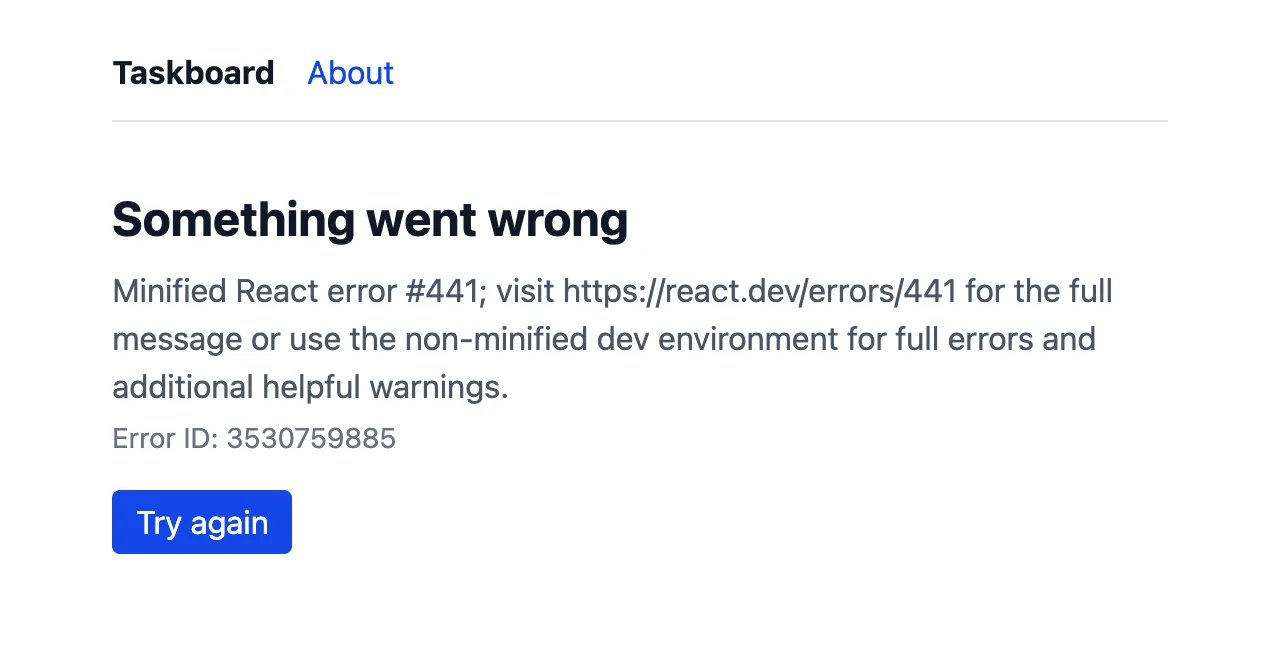
digest, the same number as in the server's log below, so you can find the details. After I fixed the file, Try again showed the task without reloading the page.เบราว์เซอร์ได้รับเพียงข้อความทั่วไป (React error #441) ข้อผิดพลาดจริงอาจมีข้อมูลลับ จึงเก็บไว้บนเซิร์ฟเวอร์ Error ID คือ digest ของข้อผิดพลาด เป็นเลขเดียวกับใน log ของเซิร์ฟเวอร์ด้านล่าง เราจึงตามหารายละเอียดได้ หลังแก้ไฟล์แล้ว Try again แสดงงานโดยไม่ต้องรีโหลดหน้า⨯ SyntaxError: Unexpected token ']', ..."alse }, ] " is not valid JSON at JSON.parse (<anonymous>) at h (.next/server/chunks/ssr/_1ewdccw._.js:2:465) at async (.next/server/chunks/ssr/_1ewdccw._.js:2:531) { digest: '3530759885' }
Deployingการ deploy
Any computer that runs Node.js can host the app: copy the project, run npm ci, npm run build and npm start. It also runs in a Docker container. The easiest start is Vercel, made by the Next.js team: push the project to GitHub, import the repository on Vercel, and every push to main deploys to production while other branches get preview URLs. (This guide describes deploying; it didn't deploy taskboard.)
คอมพิวเตอร์ใดก็ได้ที่รัน Node.js เป็นโฮสต์ของแอปได้ ให้คัดลอกโปรเจกต์ รัน npm ci, npm run build และ npm start หรือรันใน Docker container ก็ได้ วิธีเริ่มที่ง่ายที่สุดคือ Vercel ซึ่งสร้างโดยทีม Next.js เอง push โปรเจกต์ขึ้น GitHub แล้ว import repository ใน Vercel ทุกครั้งที่ push ไปที่ main จะ deploy ขึ้น production ส่วน branch อื่นได้ URL สำหรับดูตัวอย่าง (คู่มือนี้อธิบายการ deploy แต่ไม่ได้ deploy taskboard จริง)
Taskboard saves tasks in a JSON file. That works on your computer and on a normal server, but not on Vercel or other serverless hosts: there the code runs on a read-only file system, in copies that come and go. Move the data to a database (for example Postgres) first.Taskboard บันทึกงานไว้ในไฟล์ JSON ซึ่งใช้ได้บนเครื่องเราและบนเซิร์ฟเวอร์ปกติ แต่ใช้ไม่ได้บน Vercel หรือโฮสต์แบบ serverless อื่นๆ เพราะที่นั่นโค้ดทำงานบนระบบไฟล์ที่อ่านได้อย่างเดียว และอยู่ในสำเนาที่เกิดขึ้นและหายไปตลอดเวลา ให้ย้ายข้อมูลไปไว้ในฐานข้อมูล (เช่น Postgres) ก่อน
| Environment variablesตัวแปรสภาพแวดล้อม | Meansความหมาย |
|---|---|
.env.local | your local secrets; loaded by Next.js automatically and kept out of gitข้อมูลลับในเครื่องเรา Next.js โหลดให้อัตโนมัติ และไม่ถูกใส่ใน git |
DATABASE_URL=… | readable as process.env.DATABASE_URL in server code onlyอ่านได้ด้วย process.env.DATABASE_URL เฉพาะในโค้ดฝั่งเซิร์ฟเวอร์ |
NEXT_PUBLIC_… | copied into the browser code at build time: never put a secret hereถูกคัดลอกลงในโค้ดฝั่งเบราว์เซอร์ตอน build ห้ามใส่ข้อมูลลับเด็ดขาด |
Lesson 10 · Your turnบทที่ 10 · ถึงตาคุณแล้ว
Practiceแบบฝึกหัด
Three tasks for your own copy of taskboard. Each solution was added to the real project and run; the output is under it. งานสามข้อสำหรับ taskboard ของคุณเอง ทุกเฉลยถูกเพิ่มลงในโปรเจกต์จริงและรันแล้ว ผลลัพธ์อยู่ด้านล่าง
1. Delete a task1. ลบงาน
Add a Delete button to the task page. Write a removeTask Server Action that deletes the task, revalidates / and sends the user home with redirect("/").เพิ่มปุ่ม Delete ในหน้างาน เขียน Server Action ชื่อ removeTask ที่ลบงาน revalidate / แล้วพาผู้ใช้กลับหน้าแรกด้วย redirect("/")
Show solutionดูเฉลย
⋯ 4 earlier lines: the requests from Practice 2 and 3 ⋯⋯ 4 บรรทัดก่อนหน้า: คำขอจากแบบฝึกหัดข้อ 2 และ 3 ⋯
 GET /tasks/3 200 in 275ms (next.js: 256ms, application-code: 20ms)
 GET / 200 in 14ms (next.js: 1.1ms, application-code: 13ms)
 POST /tasks/3 200 in 25ms (next.js: 2ms, application-code: 23ms)
  └─ ƒ removeTask({}) in 1ms app/actions.ts
I opened /tasks/3 and pressed Delete. The browser landed on / with two tasks left. The redirect matters: the page of a deleted task no longer exists.ผมเปิด /tasks/3 แล้วกด Delete เบราว์เซอร์ไปที่ / และเหลือสองงาน การ redirect สำคัญ เพราะหน้าของงานที่ถูกลบไม่มีอยู่แล้ว
2. One task as JSON2. งานเดียวในรูป JSON
Add GET /api/tasks/[id]: return one task, or status 404 with {"error": "task not found"}.เพิ่ม GET /api/tasks/[id] คืนงานหนึ่งรายการ หรือ status 404 พร้อม {"error": "task not found"}
Show solutionดูเฉลย
$ curl -s localhost:3200/api/tasks/2; echo
{"id":2,"title":"Create a Next.js app","done":true}

$ curl -s -i localhost:3200/api/tasks/99
HTTP/1.1 404 Not Found
content-type: application/json

{"error":"task not found"}
RouteContext<"/api/tasks/[id]"> is a type that Next.js generates while next dev or next build runs. Until then TypeScript doesn't know the new route and complains; npx next typegen makes the types without starting anything.RouteContext<"/api/tasks/[id]"> เป็นชนิดข้อมูลที่ Next.js สร้างขึ้นขณะรัน next dev หรือ next build ก่อนหน้านั้น TypeScript ยังไม่รู้จัก route ใหม่และจะแจ้งข้อผิดพลาด คำสั่ง npx next typegen สร้างชนิดข้อมูลได้โดยไม่ต้องเริ่มอะไร
3. Search3. ค้นหา
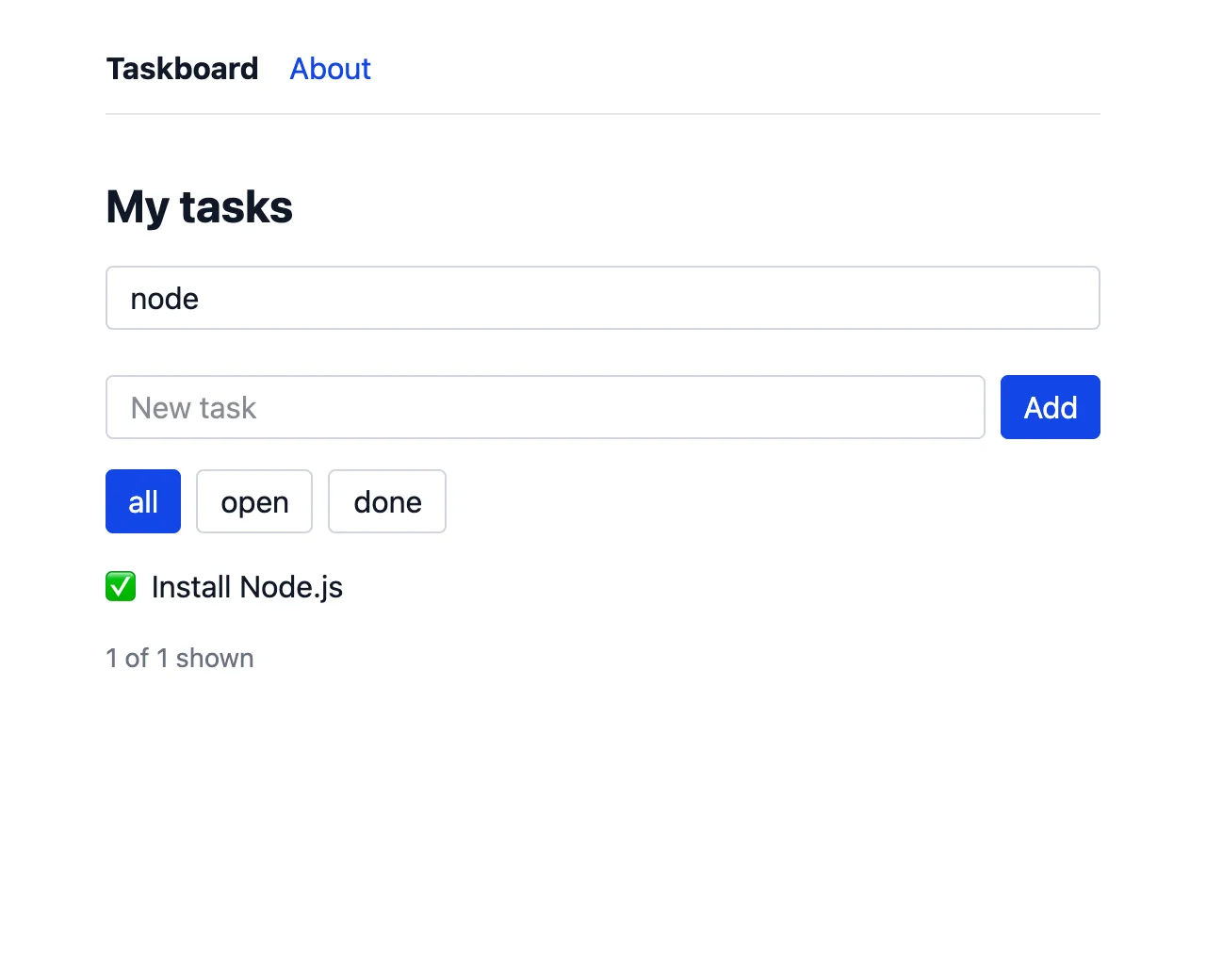
Add a search box to the home page: a plain <form> with an input named q, so pressing Enter loads /?q=…. Read q from searchParams and show only matching tasks. Then run npm run build: what happened to /?เพิ่มช่องค้นหาในหน้าแรก ใช้ <form> ธรรมดาที่มี input ชื่อ q เมื่อกด Enter จะโหลด /?q=… อ่าน q จาก searchParams แล้วแสดงเฉพาะงานที่ตรงกัน จากนั้นรัน npm run build แล้วดูว่า / เปลี่ยนไปอย่างไร
Show solutionดูเฉลย
$ curl -s "localhost:3200/?q=node" | grep -oE 'href="/tasks/[0-9]+">[^<]*'
href="/tasks/1">Install Node.js

$ npm run build
> taskboard@0.1.0 build
> next build
⋯ 16 lines: the same build steps as in Lesson 9 ⋯⋯ 16 บรรทัด: ขั้นตอน build เหมือนในบทที่ 9 ⋯
Route (app)
┌ ƒ /
├ ○ /_not-found
├ ○ /about
├ ƒ /api/tasks
├ ƒ /api/tasks/[id]
└ ƒ /tasks/[id]


○  (Static)   prerendered as static content
ƒ  (Dynamic)  server-rendered on demand
/ is now ƒ Dynamic: the result depends on the URL, so it can't be built ahead of time. Reading searchParams, cookies() or headers() makes a page dynamic.ตอนนี้ / เป็น ƒ Dynamic เพราะผลลัพธ์ขึ้นกับ URL จึงสร้างล่วงหน้าไม่ได้ การอ่าน searchParams, cookies() หรือ headers() ทำให้เพจเป็น dynamic
Lesson 11 · Debuggingบทที่ 11 · การดีบัก
Common mistakesข้อผิดพลาดที่พบบ่อย
Each mistake below was made on purpose in taskboard and run with Next.js 16.3.8; the messages are copied from the real output, shortened. ข้อผิดพลาดแต่ละข้อด้านล่างถูกทำขึ้นโดยตั้งใจใน taskboard และรันด้วย Next.js 16.3.8 ข้อความถูกคัดลอกจากผลลัพธ์จริงแบบย่อ
useState without "use client"ใช้ useState โดยไม่มี "use client"
Hooks and event handlers only work in Client Components. The build stops and points at the import.hook และ event handler ใช้ได้เฉพาะใน Client Component การ build จะหยุดและชี้ไปที่บรรทัด import
onClick in a Server Componentใส่ onClick ใน Server Component
A function can't travel from the server to the browser. Move the interactive part into its own Client Component file and use it from the page.ฟังก์ชันส่งจากเซิร์ฟเวอร์ไปยังเบราว์เซอร์ไม่ได้ ให้ย้ายส่วนที่ต้องโต้ตอบไปไว้ในไฟล์ Client Component ของมันเอง แล้วเรียกใช้จากเพจ
Using params without awaitใช้ params โดยไม่ await
Since Next.js 15, params and searchParams are Promises. Older tutorials read params.id directly; TypeScript stops the build.ตั้งแต่ Next.js 15 params และ searchParams เป็น Promise บทเรียนเก่าๆ อ่าน params.id ตรงๆ ซึ่ง TypeScript จะหยุดการ build
The data changed but the page didn'tข้อมูลเปลี่ยนแต่หน้าเว็บไม่เปลี่ยน
In development every request renders again, so this bug hides until production. I removed revalidatePath from the POST handler, built and started the app: the API had the new task, the static home page didn't.ตอนพัฒนาทุกคำขอจะเรนเดอร์ใหม่ บั๊กนี้จึงซ่อนอยู่จนถึง production ผมลบ revalidatePath ออกจาก POST handler แล้ว build และเริ่มแอป API มีงานใหม่ แต่หน้าแรกแบบ static ไม่มี
Server code in a Client Componentโค้ดฝั่งเซิร์ฟเวอร์ใน Client Component
Importing getTasks into TaskList drags node:fs into the browser bundle, and the build fails with a confusing message. Read data in a Server Component and pass it down as props. Adding import "server-only" to lib/tasks.ts turns the same mistake into a clear error.การ import getTasks เข้าไปใน TaskList ลาก node:fs เข้าไปในโค้ดของเบราว์เซอร์ และการ build ล้มเหลวพร้อมข้อความที่เข้าใจยาก ให้อ่านข้อมูลใน Server Component แล้วส่งต่อเป็น prop การเพิ่ม import "server-only" ใน lib/tasks.ts จะทำให้ความผิดพลาดเดียวกันแสดงข้อความที่ชัดเจน
A hydration mismatchhydration ไม่ตรงกัน
A Client Component renders on the server and again in the browser, and both results must match. The time differs between the two, so React throws the server HTML away. Show changing values from a Server Component, which renders only once.Client Component เรนเดอร์บนเซิร์ฟเวอร์และในเบราว์เซอร์อีกครั้ง ผลทั้งสองต้องตรงกัน เวลาในสองครั้งนั้นต่างกัน React จึงทิ้ง HTML จากเซิร์ฟเวอร์ ให้แสดงค่าที่เปลี่ยนตลอดจาก Server Component ซึ่งเรนเดอร์เพียงครั้งเดียว
Lesson 12 · Referenceบทที่ 12 · อ้างอิง
Glossaryคำศัพท์
| English | ไทย | Meaningความหมาย |
|---|---|---|
| framework | เฟรมเวิร์ก | A set of tools and rules your code fits intoชุดเครื่องมือและกติกาที่โค้ดของเราต้องเข้ากัน |
| App Router | App Router | Next.js's routing based on folders in app/ระบบ routing ของ Next.js ที่อิงโฟลเดอร์ใน app/ |
| route | เส้นทาง (route) | A URL path and the file that answers itพาธของ URL และไฟล์ที่ตอบพาธนั้น |
| dynamic segment | dynamic segment | A [name] folder that matches any value in that part of the URLโฟลเดอร์ [name] ที่จับคู่ได้กับทุกค่าในส่วนนั้นของ URL |
| layout | เลย์เอาต์ | UI that wraps pages and stays while you navigateUI ที่ครอบเพจและคงอยู่ขณะเปลี่ยนหน้า |
| Server Component | Server Component | A component that runs only on the serverคอมโพเนนต์ที่ทำงานบนเซิร์ฟเวอร์เท่านั้น |
| Client Component | Client Component | A "use client" component that also runs in the browserคอมโพเนนต์ที่มี "use client" และทำงานในเบราว์เซอร์ด้วย |
| hydration | ไฮเดรชัน | React attaching click handlers and state to HTML that came from the serverการที่ React ผูก event handler และ state เข้ากับ HTML ที่มาจากเซิร์ฟเวอร์ |
| Server Action | Server Action | A server function that forms and components can callฟังก์ชันฝั่งเซิร์ฟเวอร์ที่ฟอร์มและคอมโพเนนต์เรียกใช้ได้ |
| Route Handler | Route Handler | A route.ts file that answers HTTP requestsไฟล์ route.ts ที่ตอบคำขอ HTTP |
| prerendering | พรีเรนเดอร์ | Rendering a page during the build (a static route, ○)การเรนเดอร์เพจตอน build (route แบบ static ○) |
| dynamic rendering | ไดนามิกเรนเดอร์ | Rendering a page on every request (ƒ)การเรนเดอร์เพจทุกครั้งที่มีคำขอ (ƒ) |
| revalidate | รีวาลิเดต | Mark a rendered page as out of date so it is made againทำเครื่องหมายว่าเพจที่เรนเดอร์ไว้ล้าสมัย เพื่อให้สร้างใหม่ |
| streaming | สตรีมมิง | Sending a page in parts as each part becomes readyการส่งเพจทีละส่วนเมื่อแต่ละส่วนพร้อม |
| metadata | เมทาดาตา | The page's title, description and other tags in <head>ชื่อหน้า คำอธิบาย และแท็กอื่นๆ ใน <head> |
| Turbopack | Turbopack | The bundler Next.js uses to compile your codeตัว bundler ที่ Next.js ใช้คอมไพล์โค้ดของเรา |